USB-C hubs for small desks: ports, power and the cable-length trap
How to choose a USB-C hub or dock for a small desk: power delivery pass-through, monitor resolution limits, port count you will actually use, and cable length.
Compatibility before ports
Not every USB-C port carries video. Your laptop's port needs DisplayPort Alt Mode (or Thunderbolt) for a hub to drive a monitor — check the laptop spec, not the hub box. This single check prevents most hub returns.
The four specs that matter
| Spec | What to verify |
|---|---|
| Power delivery (PD) pass-through | Hub input wattage vs your charger: a hub rated below your laptop's charger can slow-charge under load |
| Video output | Resolution + refresh rate (e.g. 4K at 30Hz vs 60Hz is a common hidden difference), and macOS single-stream limits for dual displays |
| Ports you will use weekly | Count actual devices: SD card, Ethernet and extra HDMI you never use are size and cost for nothing |
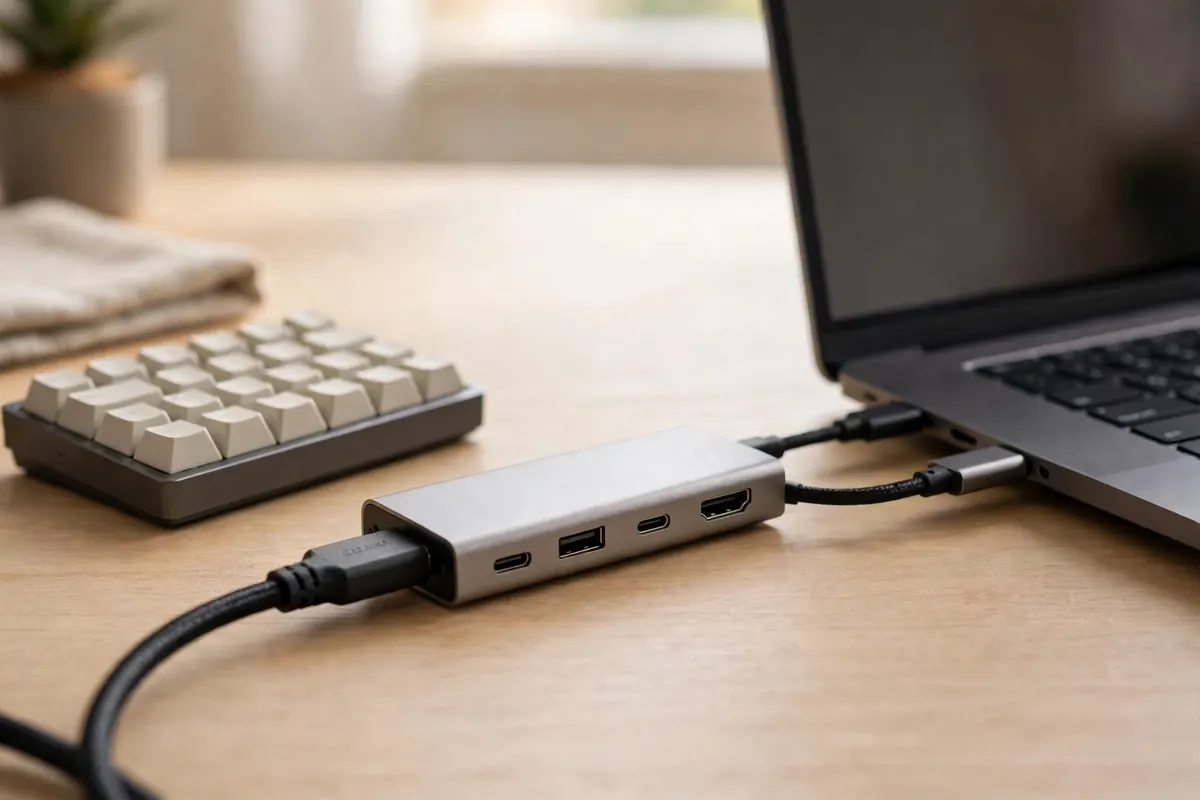
| Cable length | Many hub cables are ~15 cm / 6 in — the hub must sit right beside the laptop. On a small desk that can be a feature (one tidy cluster) or a trap (it blocks the mouse zone) |
Hub or dock?
- Hub: small, bus-powered or pass-through, travels. Right for laptop + one monitor + a few peripherals.
- Dock: own power supply, more ports, sits permanently — but its brick needs a home in your cable tray.
US / UK note
Docks with mains adapters are region-specific (plug + power supply). Bus-powered hubs are not. Buy docks in your own market.
Recommendations
Our picks
Every pick below was checked against this guide's own criteria — the measurements and fit checks above. Research-based: specifications verified against manufacturer and retailer listings, not hands-on tested. Prices are never printed here because they change; the buttons check the current price on Amazon. Last checked: 23 October 2026.
Quick verdict
Picks at a glance
| Product | Key measurements | Best for | Skip if |
|---|---|---|---|
| Anker 8-in-1 USB-C Hub with Dual HDMI (85W PD) | Video: 2× HDMI with 4K dual-monitor support · Networking: 1 Gbps Ethernet | Windows laptops driving two monitors from one cable. | You're on a Mac and want two extended screens — the listing notes macOS mirrors the displays on this hub. |
| UGREEN Revodok 105 — 5-in-1 USB-C Hub | Ports: HDMI, USB-C PD input, 3× USB-A data ports · Video: 4K HDMI at 30Hz | One 1080p or 1440p monitor plus a few peripherals. | You run a 4K monitor at 60Hz — step up to the Revodok Pro below. |
| UGREEN Revodok Pro — 7-in-1 Dual Monitor Hub | Data ports: 2× USB-A and 2× USB-C at 10 Gbps · Video: 2× HDMI, 4K@60Hz | Windows users who genuinely run two 4K monitors. | Mac users wanting extended dual screens — as the guide warns, macOS mirrors on MST hubs like this one. |
Anker 8-in-1 USB-C Hub with Dual HDMI (85W PD)
Dual HDMI and 85W charging through one small pass-through hub — no power brick of its own needs a home on your desk.
Will it fit?
- Video
- 2× HDMI with 4K dual-monitor support
- Networking
- 1 Gbps Ethernet
- Cards
- SD and microSD reader
- Weight
- 3.2 oz
Best for: Windows laptops driving two monitors from one cable.
Skip if: You're on a Mac and want two extended screens — the listing notes macOS mirrors the displays on this hub.
Prices change — check before you buy.
UGREEN Revodok 105 — 5-in-1 USB-C Hub
Only the ports most small-desk setups use weekly, in the slimmest stick here — stated honestly: its HDMI is 4K at 30Hz, not 60Hz.
Will it fit?
- Ports
- HDMI, USB-C PD input, 3× USB-A data ports
- Video
- 4K HDMI at 30Hz
- Dimensions
- 4.79 × 1.09 × 0.47 in
- Weight
- 3.21 oz
Best for: One 1080p or 1440p monitor plus a few peripherals.
Skip if: You run a 4K monitor at 60Hz — step up to the Revodok Pro below.
Prices change — check before you buy.
UGREEN Revodok Pro — 7-in-1 Dual Monitor Hub
Dual 4K@60Hz and 10 Gbps data ports while staying a pass-through hub with a short cable — not a desk-bound dock.
Will it fit?
- Data ports
- 2× USB-A and 2× USB-C at 10 Gbps
- Video
- 2× HDMI, 4K@60Hz
- Body
- Aluminium
- Charging note
- Charger not included
Best for: Windows users who genuinely run two 4K monitors.
Skip if: Mac users wanting extended dual screens — as the guide warns, macOS mirrors on MST hubs like this one.
Prices change — check before you buy.